Trainer Rostering
Planning classes and trainers is easier. Rostering, the calendar and class sessions all got an upgrade.
What's new
Trainer rostering
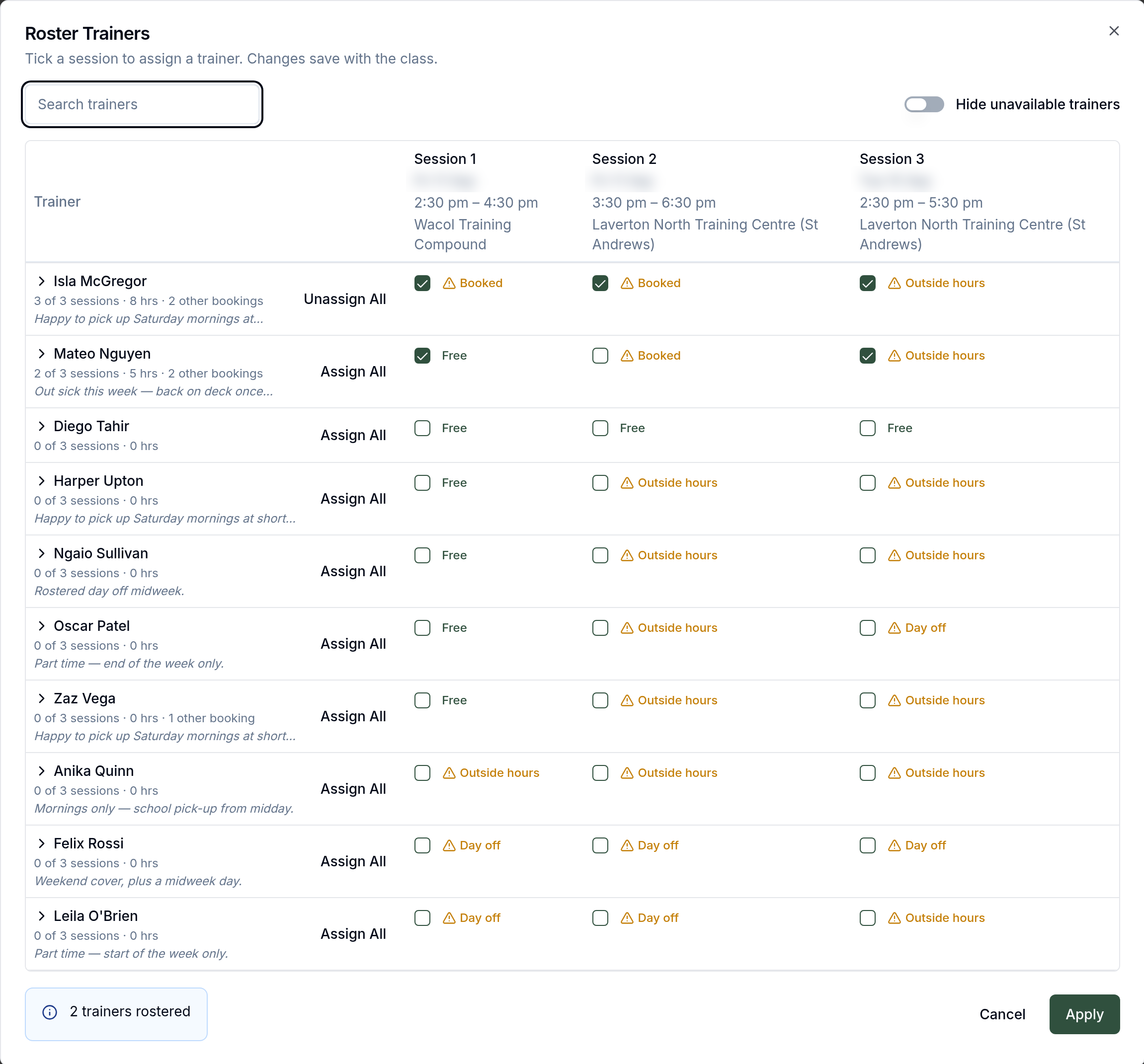
Roster trainers across your classes from one view, so coverage and conflicts are easy to see.
Calendar builder mode
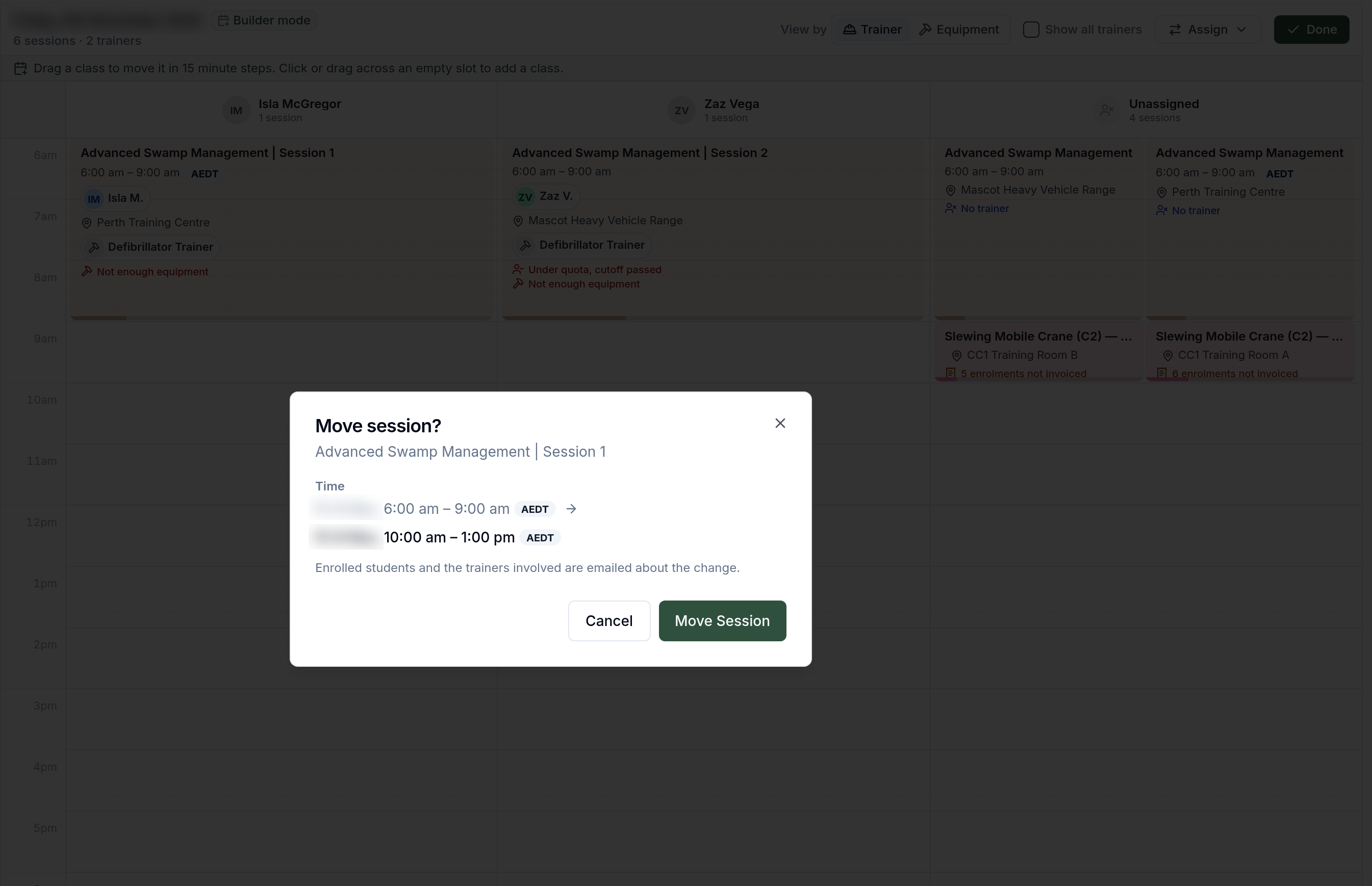
The calendar day view has a builder mode for laying out and adjusting the day's sessions on one screen.
Un-invoiced classes on the calendar
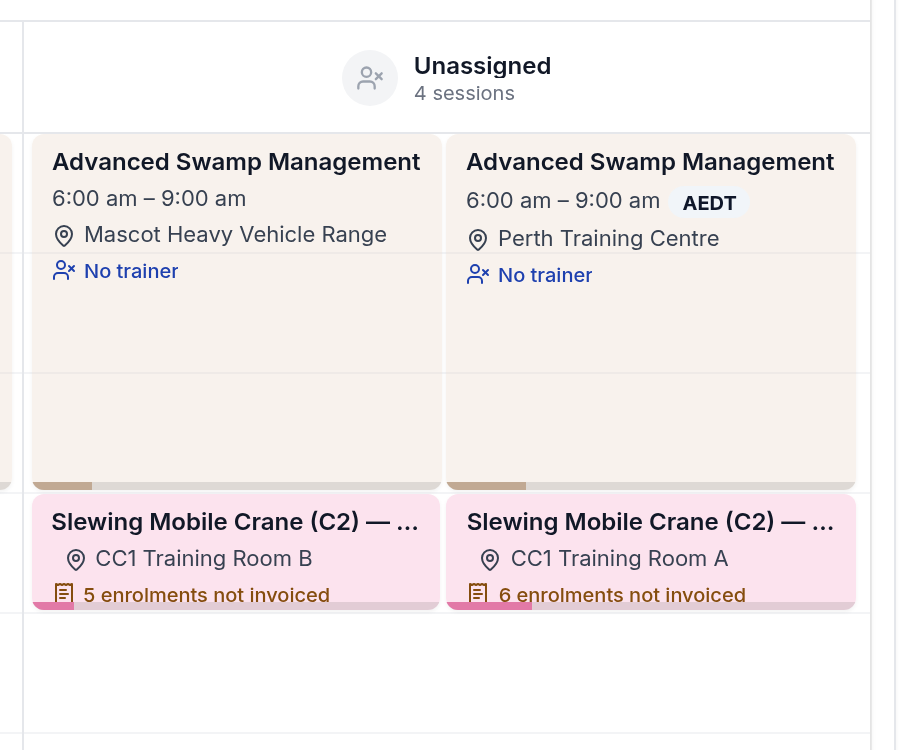
Classes that still need invoicing are flagged on the calendar.
Edit class sessions inline
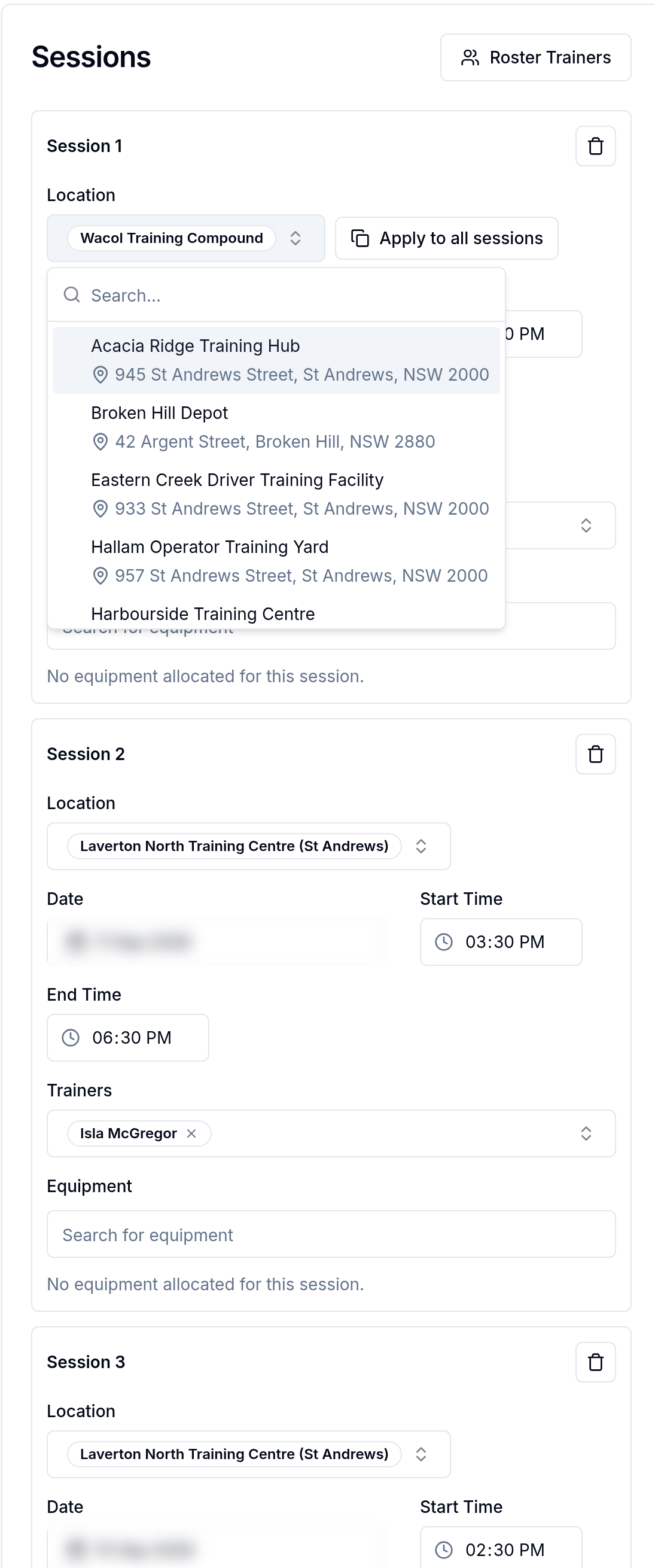
Every session on Edit class is now a row you edit in place, with its own location. Apply to all sessions copies the first session's location to the rest.
Location filters on payments and classes
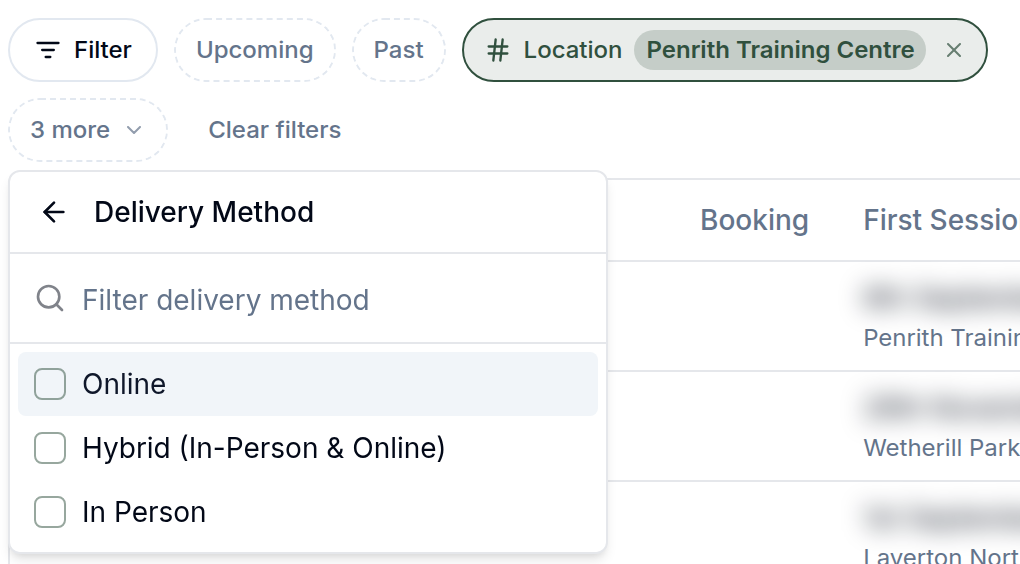
Payments History and the Classes page can now be filtered by location. Classes can also be filtered by delivery method.
Improvements
Attendance sheet PDFs show the session location.
The calendar is easier to use on smaller screens.
Mark all present is available on the trainer class page and the admin session page.
Bulk class updates can set the funding source and purchasing contract schedule for many classes at once.
Trainer class enrolments sort by student name and can be searched by name, email or USI.
Class details show the number of enrolments above the enrolment table in the admin and trainer portals.
Disabled trainer class actions explain why they are unavailable.
Cancelled enrolments are hidden in the class view so the active list stays clear.
Students can no longer transfer into, out of or cancel a class that has already finished.
Bug fixes
"Apply changes to selected" works again in Create Multiple Classes, and clearing a session time no longer breaks bulk class creation.
Class capacity no longer counts a student twice partway through a transfer.
Classes can have the same minimum and maximum participants.
The calendar Day view header shows the selected date.
The equipment picker shows the right in-use count when first opened.
The class enrolments toolbar, the class Sessions card on mobile and the comment box on phones now fit their space.
Trainer class cards no longer truncate long class or course names.
Changing course on a public class clears the leftover "hidden public class" note.