Trainer Portal Overhaul and Mobile Marking
The Trainer Portal has been rebuilt from the ground up, and we’ve improved the experience for marking on a phone or tablet.
What's new
A rebuilt Trainer Portal
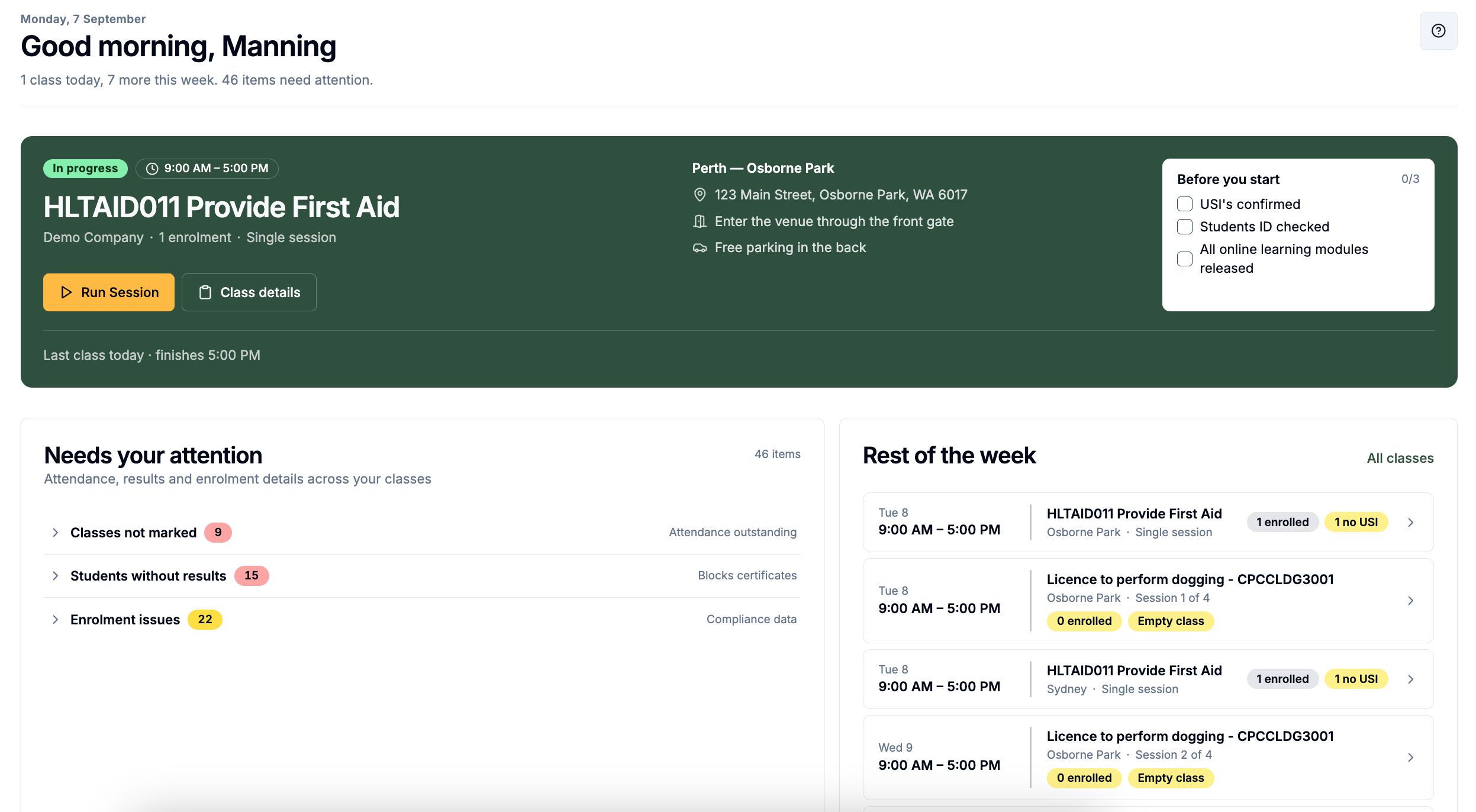
The Trainer Portal has been overhauled with a new dashboard with better visuals and polish, surfacing any actions that need to be completed.
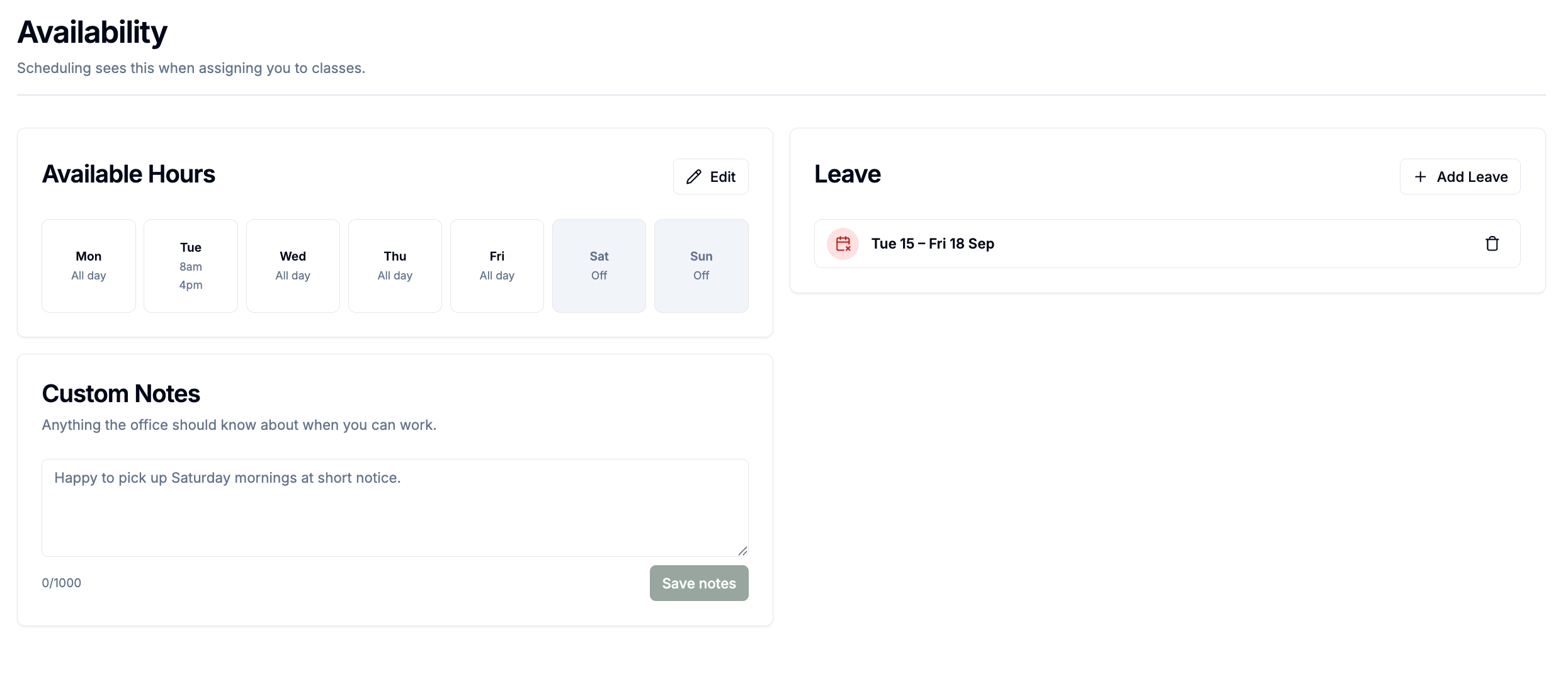
Trainers also get a Resources library with course and organisation files plus their own private uploads, and a new Availability page to set weekly hours, block out dates and message back and forth with administrators about scheduling — visible to admins on the trainer's page and in the session builder's trainer picker.
Phone marking
Marking an enrolment now works better on mobile. On small screens the marking dialog switches to a mobile layout showing one unit at a time, with previous/next arrows, a jump-to-unit dropdown, a colour-coded progress rail, and result buttons on each assessment criterion - including expandable descriptions and comments.
Improvements
Student check-in and enrolment QR codes on the trainer's class page now open in a separate window instead of a modal, so displaying a QR code to the room no longer risks exposing student information behind it.
Trainers can now see each session location's contacts, and the booking's company and coordinators, on their class details page.
A new help guide video has been added to the trainer class details page.
Bug fixes
On phones, tapping an info tooltip now keeps it open instead of flashing it closed, and tooltips no longer pop open when a scroll gesture starts on one.