Xero Integration & LMS Content Rich Text Editor

This release connects RTOPilot to Xero, brings rich text and images to learning content, and strengthens support for nationally recognised qualifications - from linking them to your courses to issuing certificates and reporting on them in AVETMISS.
What's new
Connect your accounting with Xero
Administrators can now connect RTOPilot to Xero from Settings. Once connected, finalised invoices and issued credit notes are sent to Xero automatically as part of your accounting, with a sync status shown on each invoice and a one-click re-sync if anything needs another attempt.
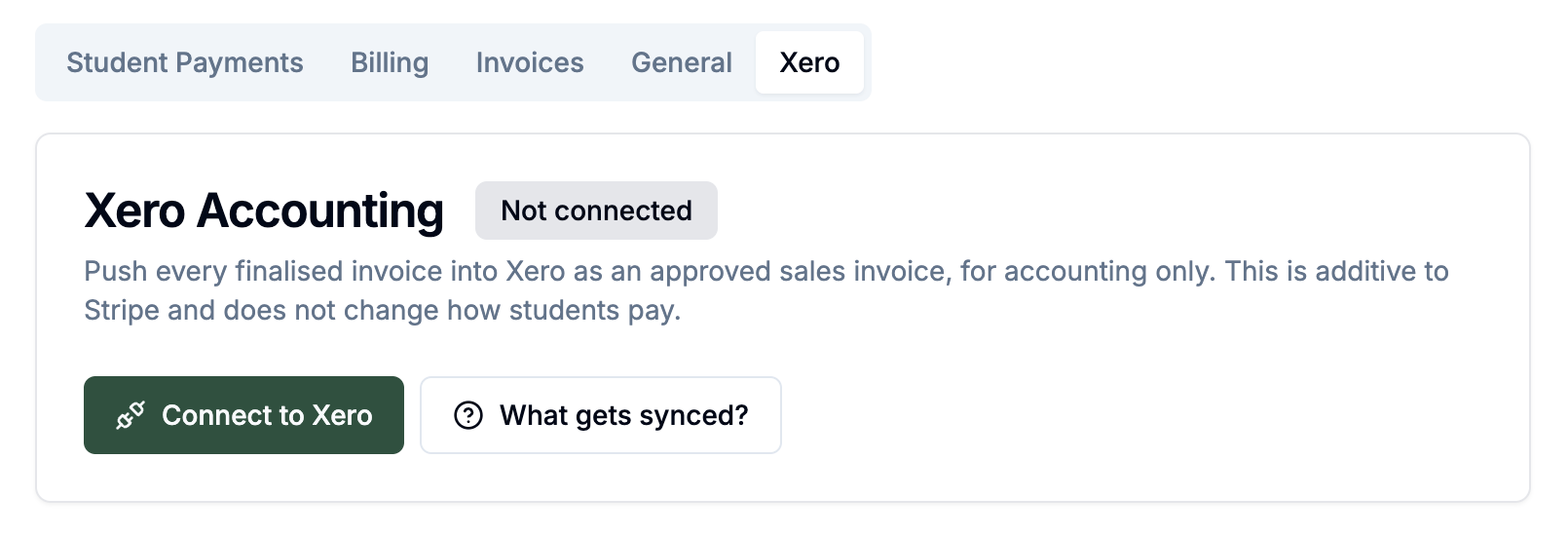
You can set a default revenue account, override it for individual courses, and map Australian states to Xero tracking categories so your income is categorised the way you report on it. This runs alongside your existing payments and doesn't change how students pay.
Available under Settings > Payment > Xero in the Admin Portal.
Rich text and images in learning content
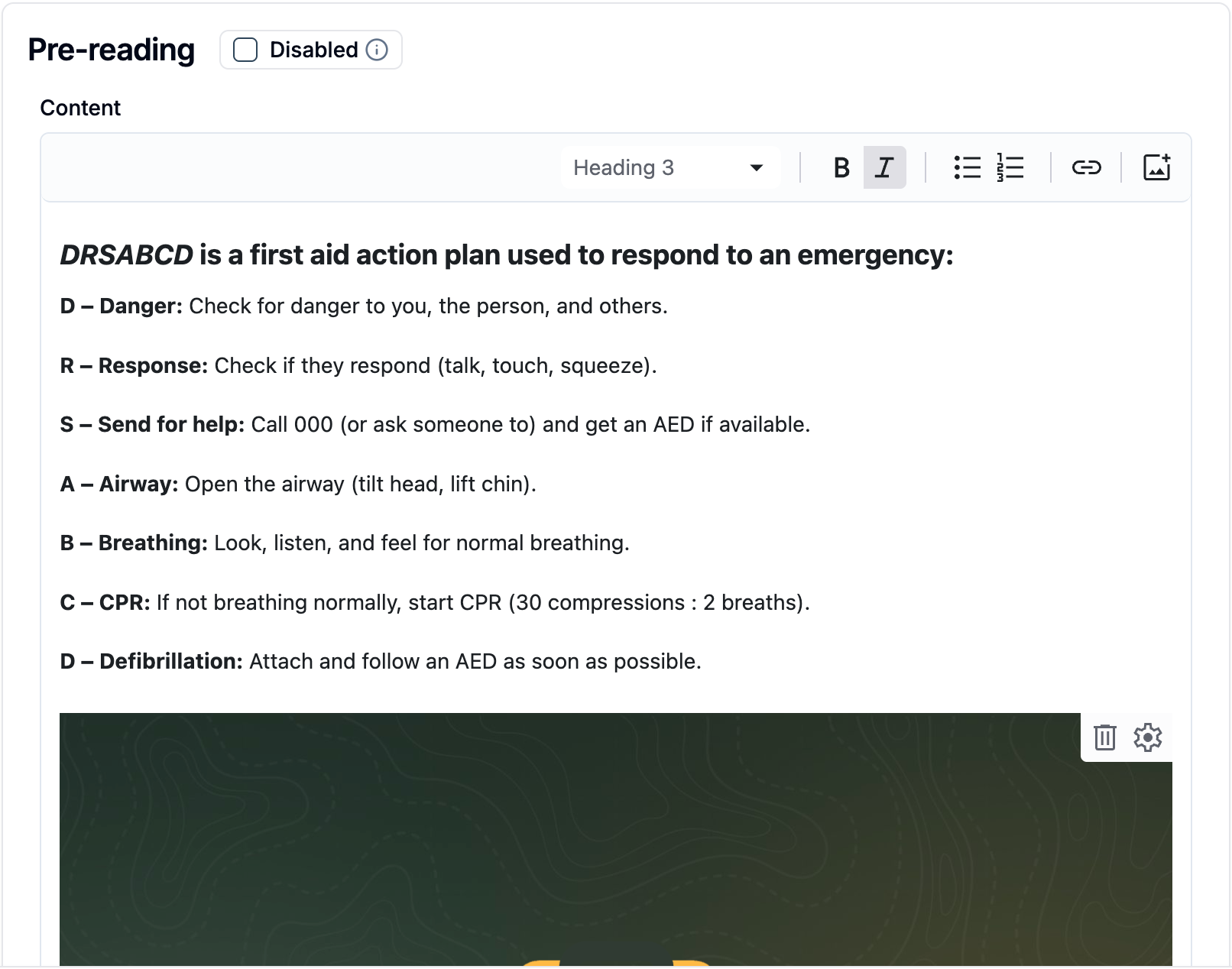
Learning content and quiz questions now support rich text formatting and embedded images, so you can add headings, bold, lists, links and pictures to make activities clearer and more engaging.
New calendar alerts
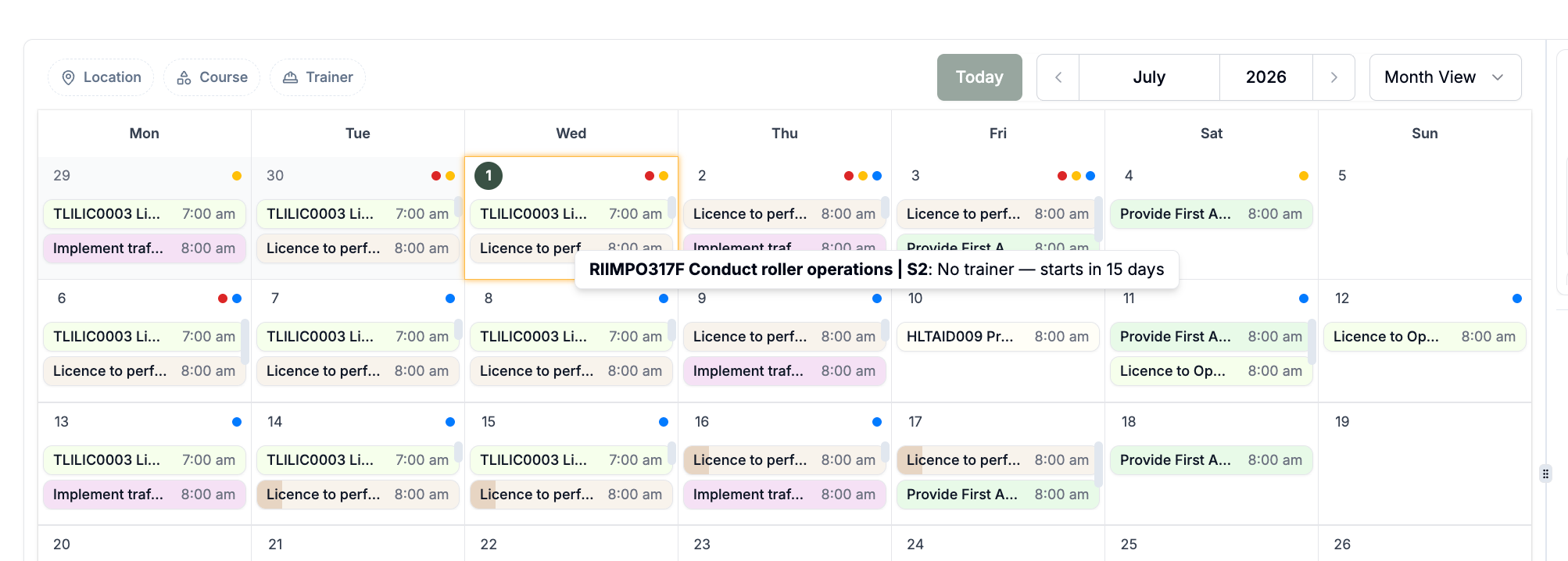
The admin calendar now flags more scheduling problems before they become issues. You'll see alerts when a class is over its capacity, when a trainer or venue is double-booked across overlapping sessions, and when an upcoming session has no trainer assigned.
Associate a qualification with your courses
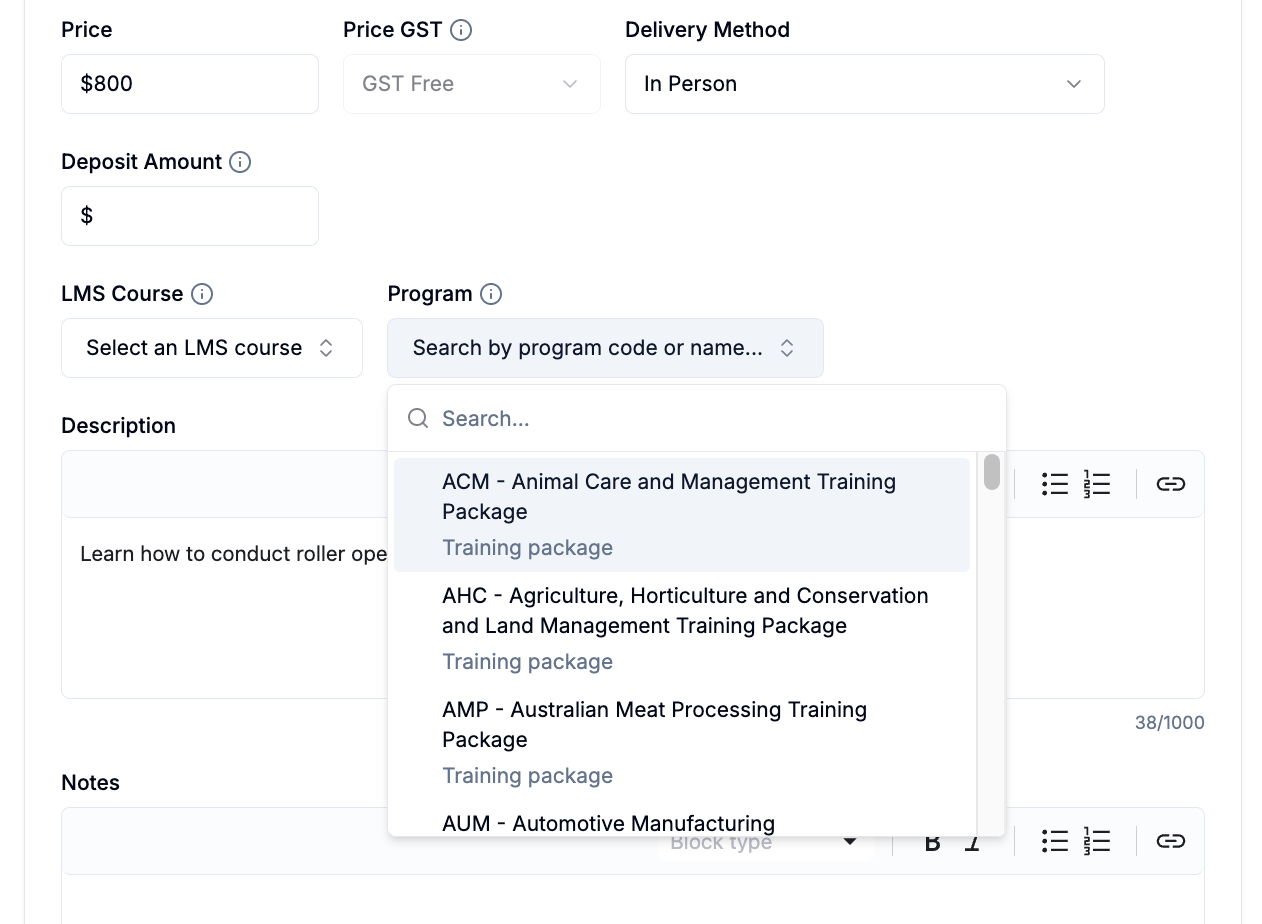
Admins can now link a nationally recognised qualification or program to a course template. A new Program field lets you search training.gov.au directly, choose the matching qualification, and link straight through to its details. Associating a program ensures units are correctly tagged in your AVETMISS exports.
Issue Testamurs and Records of Results
You can now issue two new certificate types for nationally recognised qualifications: a Testamur, the formal certificate of qualification, and a Record of Results listing each unit outcome.
Improvements
Invoices can now be filtered by type - Corporate Bookings, Students or Group Bookings - so you can quickly find the invoices you're after.
Records of Results now show a date of issue.
Payment reports and exports now show and sort by the actual payment date, rather than when the record was created, so figures line up with when money was received.
Coordinators invited to a company are now prompted to set a password, so they can log back in to the coordinator portal directly.
You can now create a corporate booking without adding any coordinators up front.
Students who have already completed an LLND assessment are shown their existing results during enrolment, instead of being asked to retake the test.
Users are now given a five-day grace period to set up multi-factor authentication before it becomes required.
Report and export wording has been refreshed to match the new accredited certificate terminology.
Bug fixes
Course filters are now kept when you open a course from a filtered enrolment page and return to the list.
The link editor now stays open while you scroll, so you no longer lose your changes when adding a link.