Full LMS Results, Quiz Marking & Course Preview

This release gives administrators a much clearer window into student learning progress — full LMS results, quiz marking and a printable results summary — plus a new course preview and more flexible question wording for course builders.
What's new
Full LMS results on the enrolment page
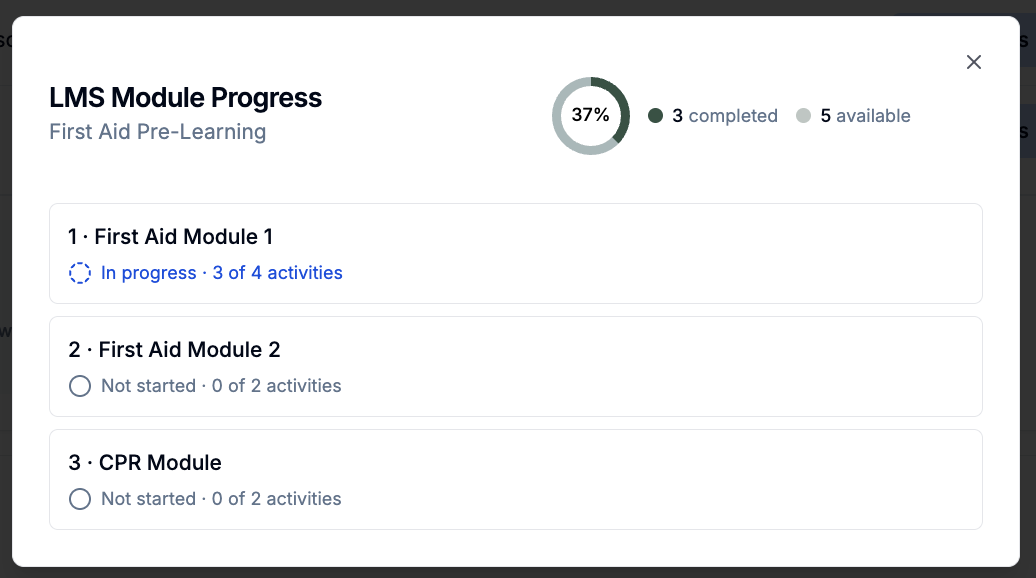
Administrators can now see a student's complete LMS progress from the enrolment page — a module-by-module breakdown showing which modules are not started, in progress or complete, with a drill-down into each module's quiz attempts and question-by-question answers.
Review and mark quiz attempts
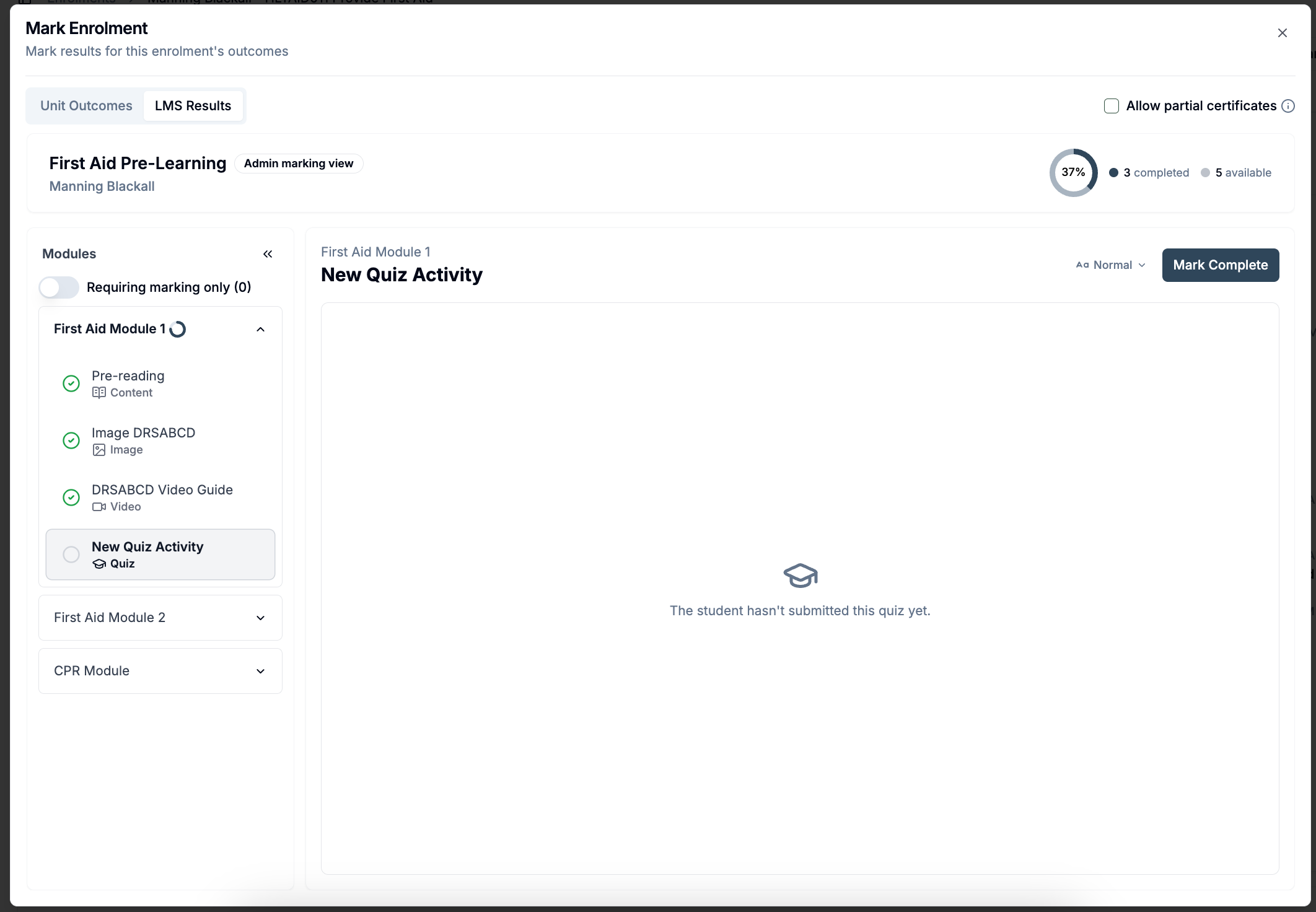
Administrators can now open a student's course view, see their activity completion, and review individual quiz attempts — adjusting whether an answer is marked correct and leaving written feedback on responses.
Download a student's results as a PDF
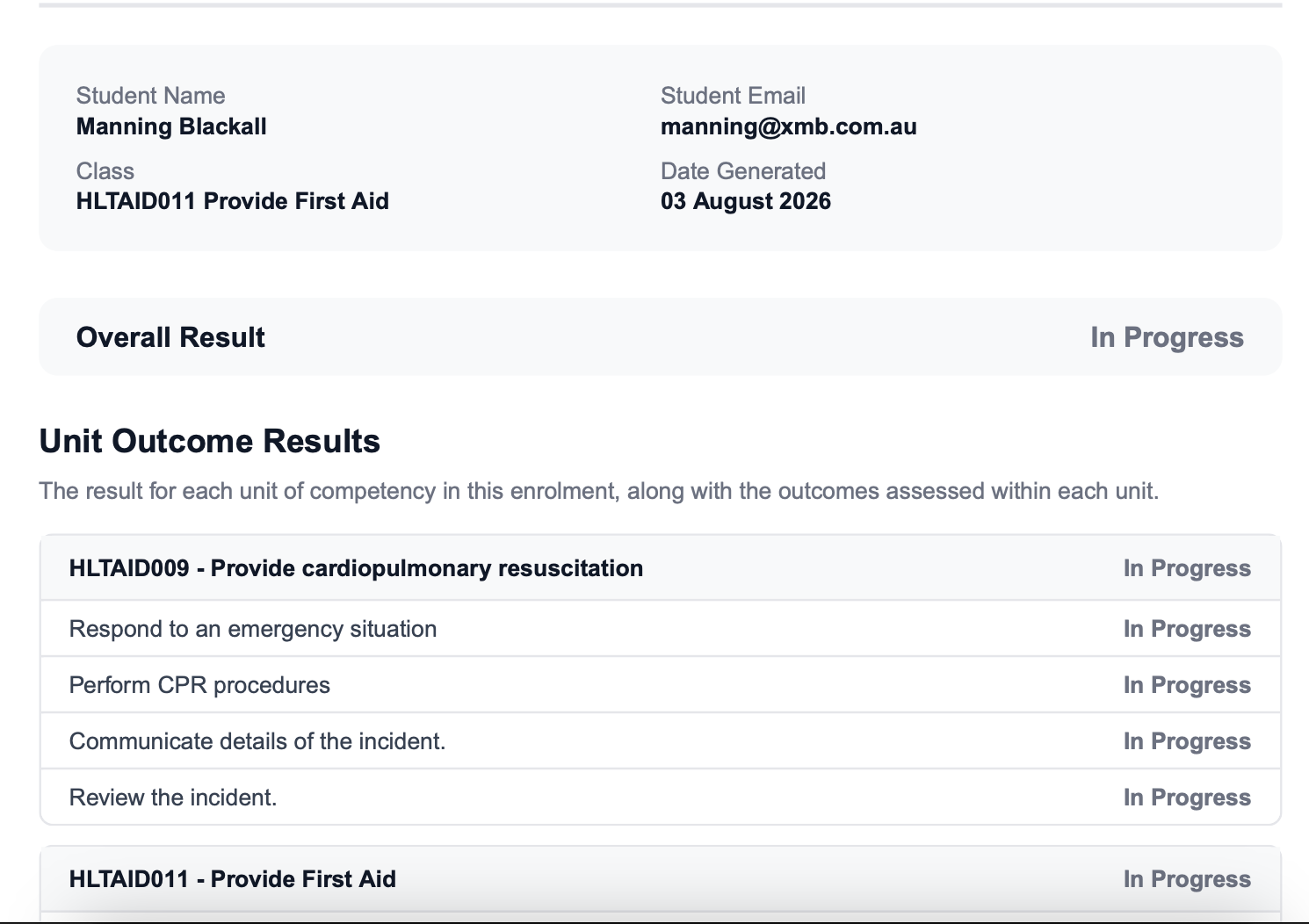
A student's enrolment results can now be downloaded as a PDF from the Results card on the enrolment page, including the full LMS quiz breakdown.
Preview courses as a student
Course builders can preview a whole course or a single module as a student would see it — including answering quizzes, simulating delayed-release modules and resetting preview progress to start over.
Yes/No wording for True/False questions
True/False quiz questions can now be presented as Yes/No instead. Pick the wording per question in the course builder — answers are stored the same way, so you can change it at any time.