LMS, Enrolment & Class Management, AI-powered RTO Onboarding, Invoicing & Receipts
Hey RTOPilot Community,
October has been a massive month. We launched our integrated Learning Management System and rolled out our first AI tools, alongside dozens of improvements to your finance and enrolment workflows.
What's new
Learning Management System
We've built a complete LMS from the ground up and integrated it directly into the Student Portal - and the best part is that it's included completely for free within RTOPilot!
The new LMS allows you to: create and organise course materials, track student progress, and deliver assessments all within RTOPilot.
Students access their learning materials directly through their portal, keeping everything in one place.
Results also automatically sync across the entire system. When a student completes an assessment in the LMS, their outcomes are instantly visible to trainers for marking and flow through to admin records - no exports or manual data entry required.
Enrolment & Class Management
We've also launched a whole host of small new features that are designed to make managing your classes and enrolments smoother:
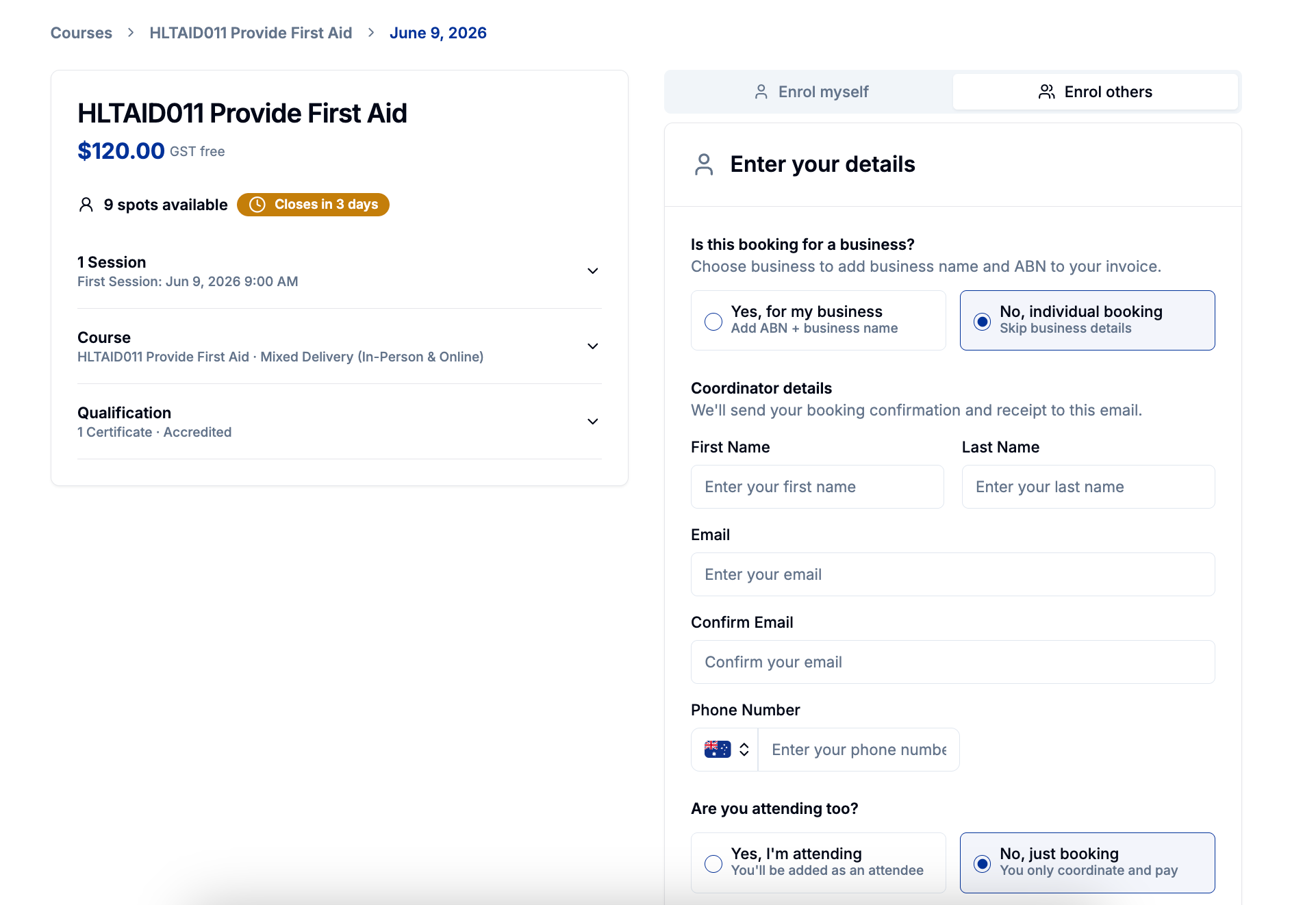
Custom Pre-Payment Data Collection
Custom data collection questions can now be added as a step before payment. This is a new option on top of the normal post-enrolment collection option via the Student Portal.
Class Notes Overhaul
Class notes are now displayed on enrolment pages and in the Student Portal making it easier to communicate important details.
Extended Enrolment Cutoff
Enrolment cutoff can now be set up to one day after class start, giving you more flexibility for last-minute or late enrolments during class.
New Attendance Sheet Format
Our attendance sheet design has been improved with custom branding and can be downloaded in either PDF format or as a spreadsheet directly from the Admin Portal in addition to the usual location in the Trainer Portal.
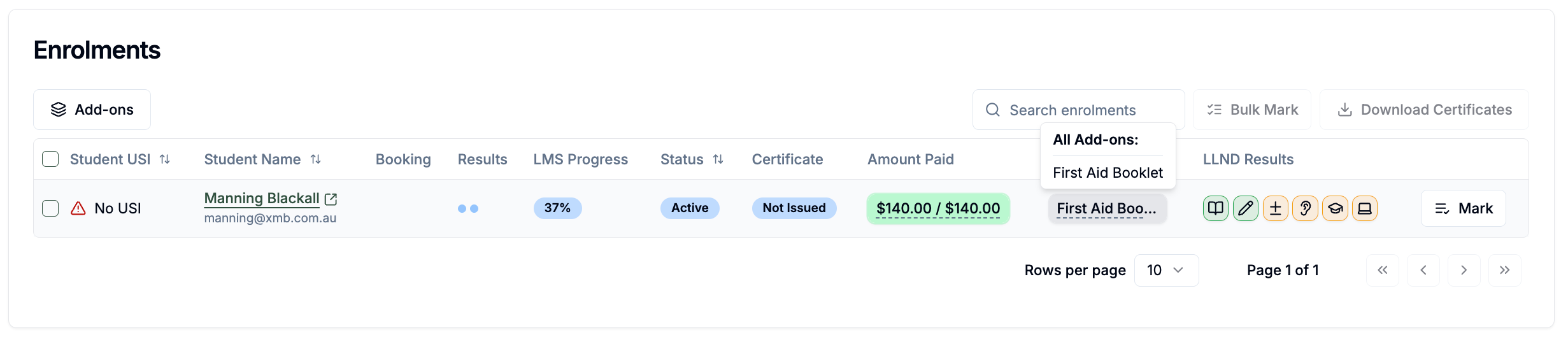
Manual Price Overrides
Set a custom price when enrolling students manually - useful for one-off pricing arrangements or special scenarios.
Certificates for Deferred Enrolments
Certificates can now be manually downloaded for enrolments in a deferred status. Useful for when a specific student needs their certificate but their employer has not yet paid.
AI-Powered RTO Onboarding
We're using AI to make setting up and managing units in RTOPilot much easier.
We've replaced our old onboarding flow with a single search - RTOs enter their code and the system automatically pulls their units and locations from training.gov.au.
The system also prefills business information like legal name, ABN and key contact info and suggests the right code format to use in RTOPilot.
This is just the start of a broader effort we're making to integrate AI tools into RTOPilot that will help save time with compliance and admin tasks.
Invoicing & Receipts
Receipt Management
Admins can download and resend receipt emails for any student payment for an enrolment lead, with PDF receipts now automatically attached to all receipt emails.
Business Receipts for Students
Students can now request receipts for company purchases during checkout by providing their ABN and business name - useful for corporate card payments and business expense claims.
Corporate Booking - External Invoice Numbers
External invoice numbers can now be added to RTOPilot invoices as a separate field, making it easier to match invoices with your accounting system.
Corporate Booking - Invoice Workflow Control
Draft invoices can be saved without line items so they can be finalised later.
You can also now send invoices to corporate coordinators as a separate action, giving you more control if you want to send them a PDF or use an invoice from an external system like Xero or MYOB.
Minor Improvements
You can now delete AVETMISS exports you no longer need
Search bar has been added the Locations module for easier navigation
Non-VET unit details can now be edited without the need to recreate them
Added a new org setting that allows trainer details including surname to be made private from students
Character counts added to text area fields for better visibility on text limits
Embedded booking widgets now scroll back to the top automatically when pages resize
Bug Fixes
We've also addressed several issues this month based on your feedback:
Fixed incorrect NRT logo usage on some certificate types
App now validates first and last names properly to prevent USI validation errors
Discounts are now properly accounted for when calculating RTOPilot fees
Temporarily removed the cash payment modal option
Placeholder text is now correctly rendered in student profile form fields
Coupons are now preserved when navigating between course and class pages
Corporate booking details now prefill correctly when creating corporate classes